TA01A Access Controller useful links
>> Click here for TA01A user manual
>> Click here for Time Attendance user manual
>> Click here to download the Time Attendance software
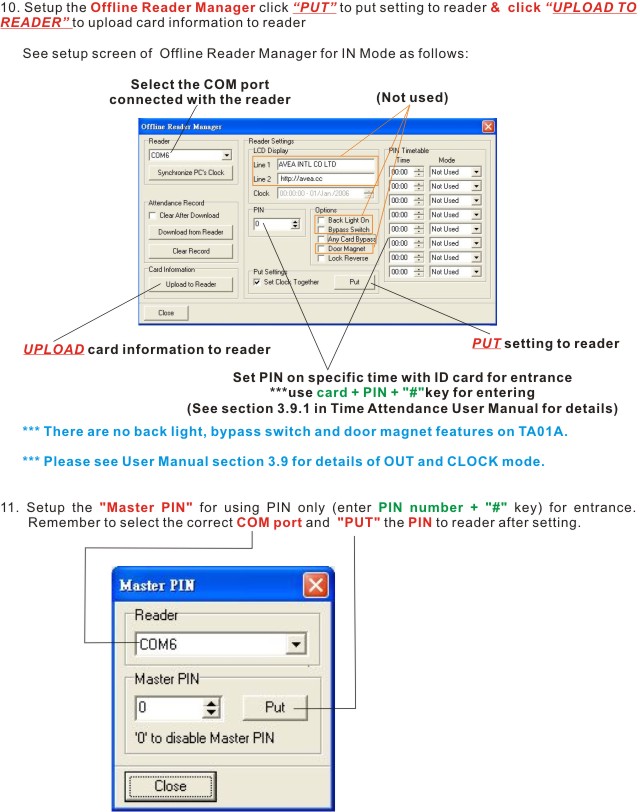
>> ADD Card - click here to see how to register your ID card
Quick Start
*** Always remember to POWER OFF before plugging or unplugging wires
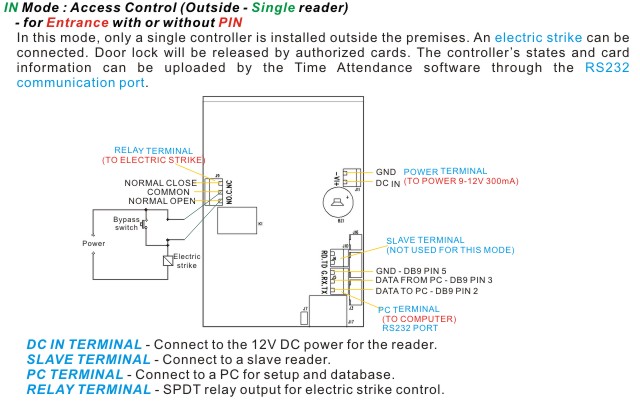
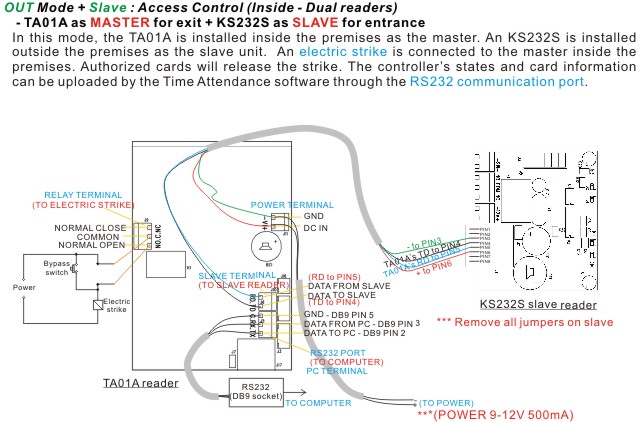
1. Connect cables and power
- • IN Mode - use one TA01A for entrance >>Click here to see the steps
• OUT Mode + KS232S slave reader >>Click here to see the steps
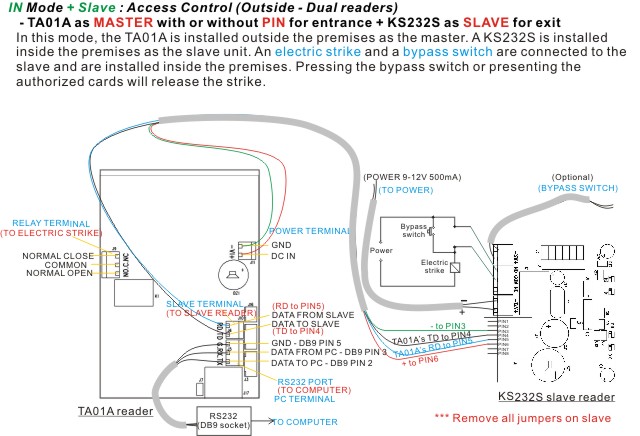
• IN Mode + KS232S slave reader >>Click here to see the steps
• Clock Mode - as time recorder only, no door >>Click here to see the steps

2. Turn on the computer.
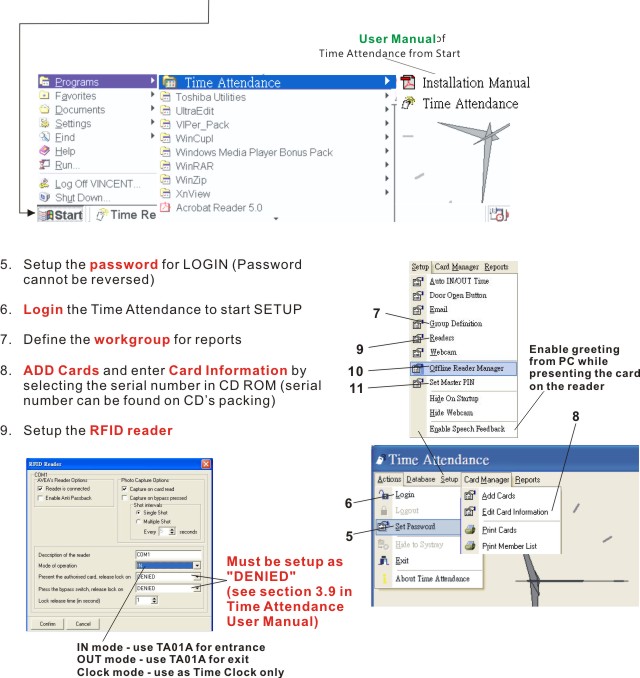
3. Download and install the Time Attendance software >>Click here to download
- • Download the Time Attendance software from https://avea.cc/sw/TA.zip
• Unzip the file
• Execute the setup.exe program
• Follow the installation instruction to finish the installation
4. Print and follow the User Manual of Time Attendance from Start for details of NET Attendance's Setup. >>Click here to download & print